



April 15, 2024
Use of 3D scanner increases efficiency and reduces labor and material costs See the articleSince the introduction of the HandyPROBE, this device has been functioning in a third-party inspection software, such as PowerInspect or Polyworks. This requirement made it hard to combine both the probing results from the HandyPROBE with the mesh file from the Handyscan 3D. However, since VxScan 4.0, this integration is much easier.
In VxScan 3.1, we introduced geometrical entities, which could be created directly from the scanned surface or based on other entities. These entities are mainly designed for alignment with external coordinate systems, but also provide basic inspection results, as we can see below.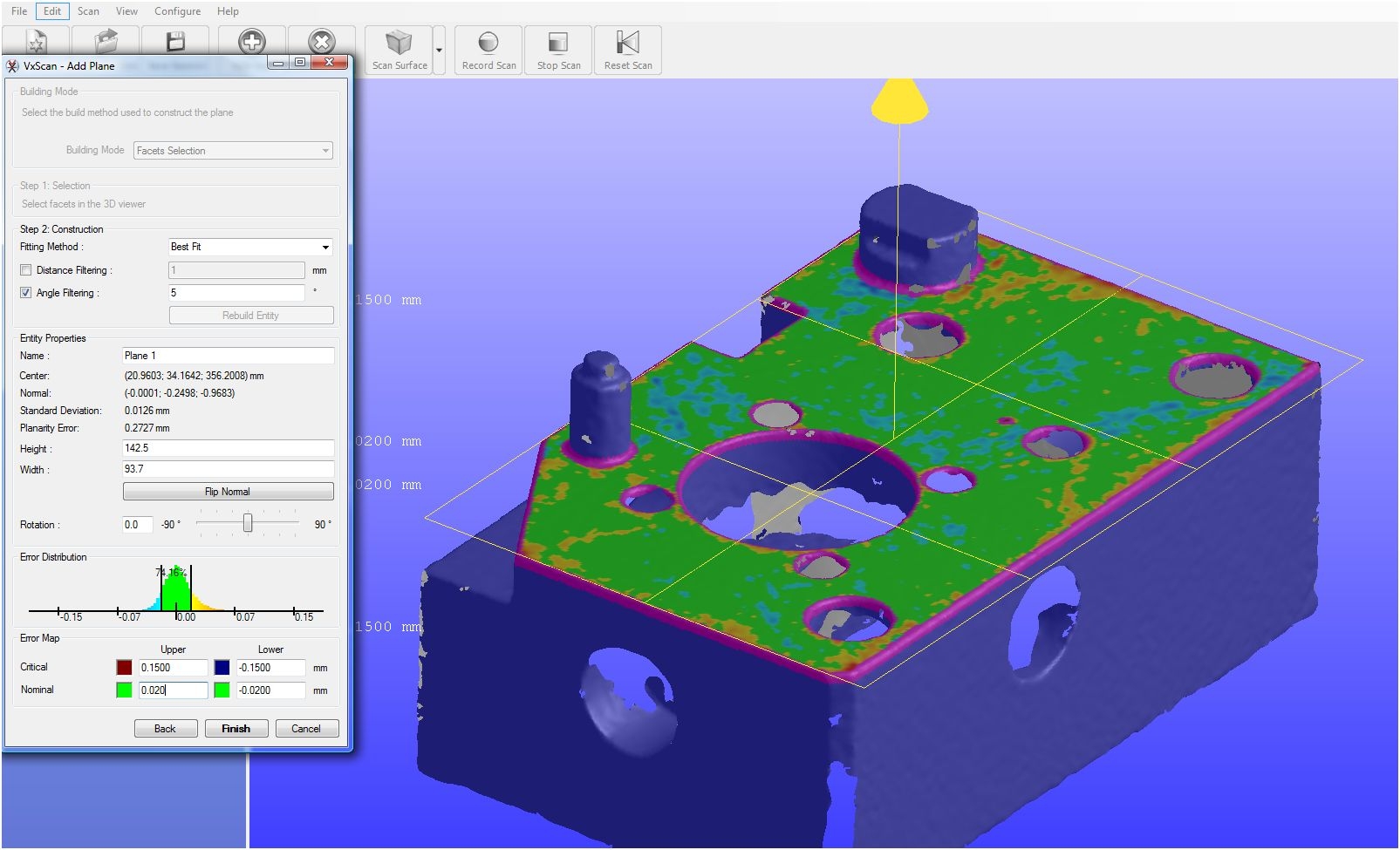
VxScan 4.0 introduces a new construction method for these entities: probing. If there is a HandyPROBE system installed on this machine, the probing button will appear in the toolbar.

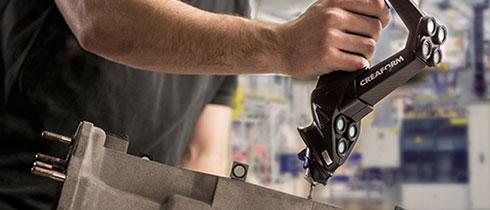
When the Probing mode is active, the default construction mode becomes probing and the HandyPROBE system can be controlled directly from VxScan. Both systems will share the same coordinate system, it will be possible to probe directly planes, lines, circles, spheres, points and polylines aligned with the scan data.
As you can see, we can also get basic inspection results that will allow to complete simple inspection routines. The goal is not to replace a fully fledged metrology software but rather to allow the HandyPROBE system collaborate better with our other systems.
VxScan 4.0 is available for all customers with an active maintenance contract and can be downloaded directly from the support zone of Creaform’s website.



23 Jan '13
P K KRISHNAN
Will the HandyPROBE be able to align an machine whose reference points are 600 M M apart?If so what is the cost of your machine? Is it permitted to sell in INDIA?
25 Mar '13
Isabelle Roy
Hello! Yes, in theory it can, but of course, the size of the space between the reference points will impact resulting error accordingly. Yes, we do have an office in India where you can buy our technologies from. Here's the contact info: Creaform India 124, Lower Ground Floor Pocket 2, Jasola New Delhi 110025 India T.: +91.11.40520164 +91.11.65022217 +91.11.65022218 Fax: +91.11.41097847 india@creaform3d.com